Log retention explained: how to balance compliance, cost and visibility
Learn log retention best practices, compliance requirements, storage strategies and cost controls to balance visibility, security and long-term retention.
Quick summary
Log retention balances security, compliance, visibility and cost. Different log types require different retention periods, guided by regulations and operational needs. Effective strategies use tiered storage, automation and clear policies to preserve valuable data without overspending. Tsuga enables long-term retention by keeping telemetry in your own cloud at standard storage costs.
How long should you really keep your logs?
Every organization generates logs, but deciding how long to keep them is far less straightforward than it seems. Retain data for too short a period and you may lose the evidence needed for a security investigation, audit, or critical outage. Keep everything forever and storage costs can quickly spiral out of control.
In this Tsuga article, we break down the essentials of log retention. You’ll learn how long different logs should be kept, which regulations influence retention decisions, and how to manage costs without sacrificing visibility.
What is log retention, and what is a retention period?
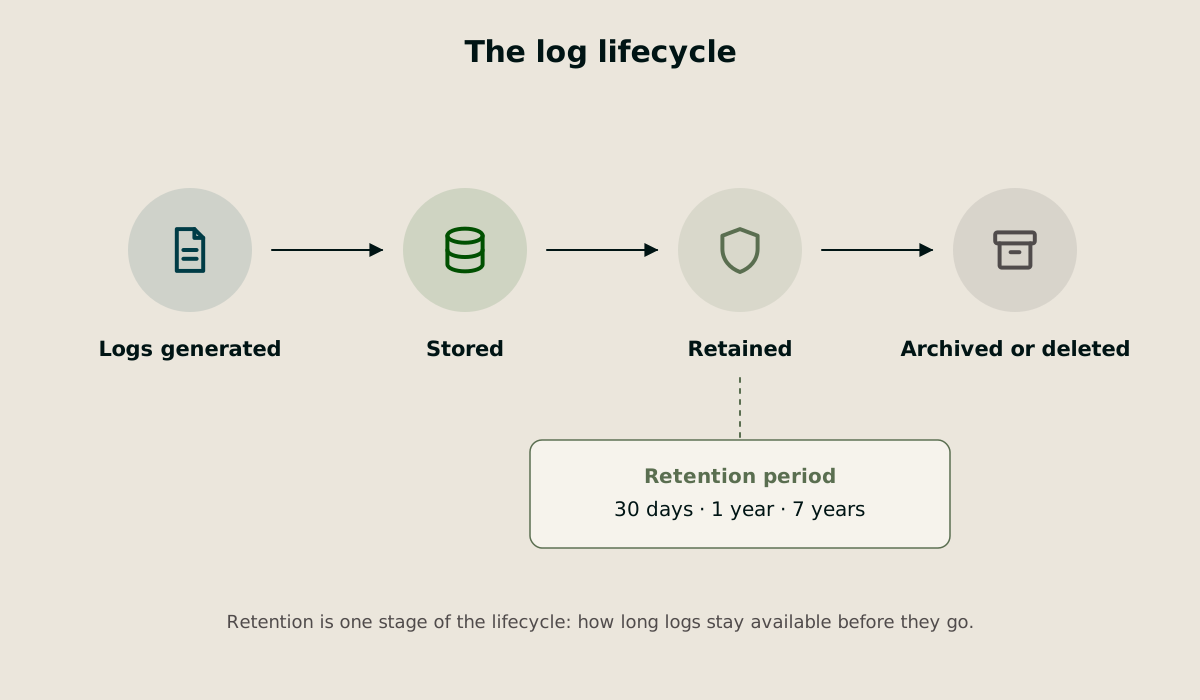
Log retention is the practice of keeping log data for a defined period before it is deleted or archived. A retention period is simply the length of time those logs remain available. Together, they determine how much historical visibility an organization has into its systems, applications, users, and infrastructure.
It is important to distinguish log retention from log management. Log management covers the entire lifecycle of log data, including collection, processing, storage, analysis, retention, and disposal.
Retention focuses on one specific question: how long should logs be kept before they are removed?
Setting the right log retention policy matters for several reasons.
Security teams rely on historical logs to investigate incidents and reconstruct attack timelines. Many breaches remain undetected for months, which means the evidence needed to understand what happened may be buried in older log data.
Compliance teams need logs to demonstrate adherence to regulations and industry standards. Missing records can result in audit failures, penalties, or legal exposure.
Engineering teams use retained logs to troubleshoot recurring issues, analyze performance trends, and identify long-term patterns that are impossible to spot from a few days of data.
Understanding the different types of logs
Not all logs serve the same purpose, which is why they should not be treated the same way. A practical way to think about logs is that each category answers a different question:
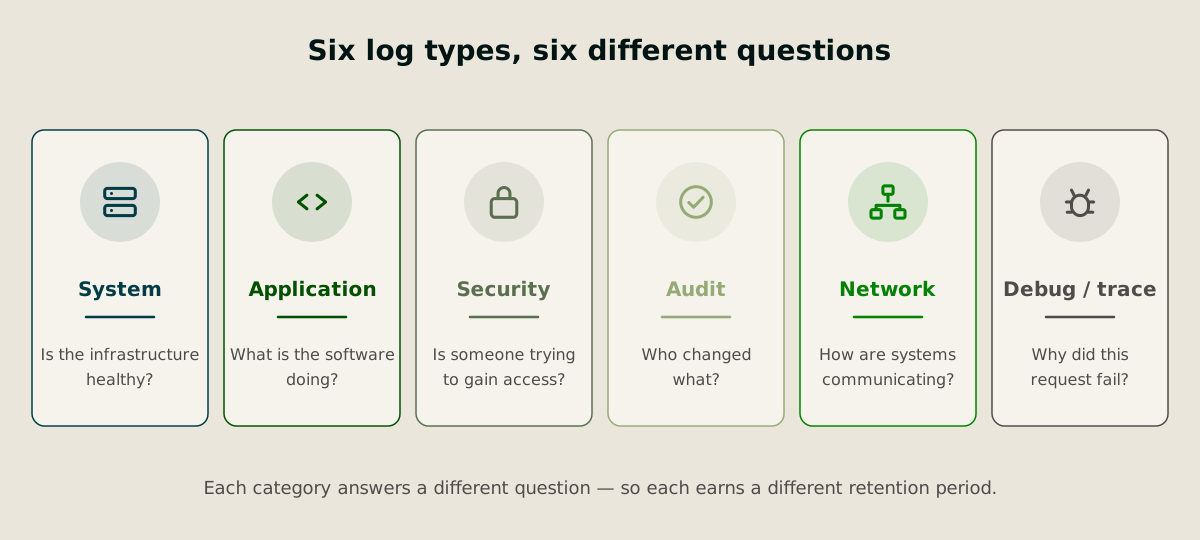
System logs show what is happening at the operating system and infrastructure level. They record events such as service restarts, hardware issues, resource utilisation and system failures.
Application logs capture how software behaves. They include user requests, transaction processing, warnings, errors and performance events that help developers troubleshoot issues.
Security logs focus on authentication, access control and suspicious activity. Failed logins, privilege changes and attempts to access sensitive resources all fall into this category.
Audit logs create an authoritative record of who did what, when they did it and what was affected. These logs are often required for compliance and forensic investigations.
Network logs track communication between systems, including firewall activity, DNS requests, VPN sessions and traffic flows.
Debug and trace logs provide highly detailed visibility into application execution and request paths across distributed systems. They are invaluable during troubleshooting but can generate significant data volumes.
How long should you keep logs?
There is no universal log retention period. The right answer depends on the type of data you collect, the regulations you must comply with, and how far back your teams typically need to investigate incidents.
The safest approach is to start with compliance requirements and then layer operational needs on top.
Framework | Typical requirement | What it means in practice |
|---|---|---|
GDPR | No fixed period | Keep logs only as long as necessary and justify retention of personal data |
HIPAA | 6 years | Retain audit records related to access to protected health information |
SOC 2 | Organization-defined | Retention should support security monitoring, investigations and audits |
PCI DSS | 12 months | Keep at least one year of audit logs, with the latest three months readily accessible |
ISO 27001 | Risk-based (often 12 months+) | Retention should align with business, legal and security requirements |
NIST | Typically 1–3 years | Retain sufficient security logs to support detection, investigation and incident response |
DORA | 5+ years | Financial institutions should preserve security and operational records for regulatory review and incident reconstruction |
SOX | 7 years | Retain records and audit evidence related to financial controls and reporting |
Beyond compliance, retention should reflect the value of each log type:
Debug logs: 3–30 days
Application logs: 14–90 days
System logs: 30–180 days
Network logs: 30–365 days
Security logs: 1–5 years
Audit logs: 1–7 years or longer if required by regulation
As a rule, organizations should adopt the strictest retention requirement that applies to their environment. Once that baseline is established, retention policies can be refined around operational needs, storage costs and risk tolerance.
Managing log retention costs and storage requirements
Log volumes continue to grow as organizations adopt cloud-native architectures, microservices and AI-driven applications. More services generate more telemetry, which means more data to store, query and retain. Without a clear storage strategy, retention quickly becomes one of the largest components of observability spend.
Many teams respond by reducing retention periods or aggressively sampling data. While this lowers costs, it can also remove the evidence needed for incident investigations, audits and root cause analysis.
A more sustainable approach is to align storage costs with the likelihood of access.
Storage tier | Typical retention | Best use case |
|---|---|---|
Hot | 7–30 days | Active troubleshooting, incident response and dashboards |
Warm | 30–365 days | Trend analysis, performance investigations and reporting |
Cold | 1–7+ years | Compliance archives, legal holds and historical records |
In practice, new logs are written to hot storage where they remain instantly searchable. As they age, they are automatically moved into lower-cost storage tiers. This approach allows organizations to retain years of data while keeping only the most valuable information on high-performance infrastructure.
Another important consideration is that storage cost is not the only cost. Retrieval fees, data transfer charges, replication, API requests and management overhead can significantly increase the total bill. A storage tier that appears inexpensive may become costly if archived data needs to be restored frequently.
Modern teams increasingly adopt a log data lake model. Logs are stored in low-cost object storage and queried only when needed. By separating storage from compute, organizations avoid paying for expensive always-on infrastructure while still preserving long-term access to historical data.
It is also worth examining how your observability platform charges for retention. Many SaaS tools charge separately for ingestion, storage, indexing and extended retention. As data volumes grow, organizations often end up paying multiple times for the same telemetry.
Storage location matters too. Cloud storage offers scalability and flexible lifecycle management, while on-premises storage can provide greater control over data residency and long-term archives. Many organizations use a mix of both, keeping operational data in the cloud and moving older logs to lower-cost archival storage.
How to create an effective log retention policy
A log retention policy should do more than define how long data is stored. It should ensure the right logs remain available to the right people for the right amount of time while balancing compliance, security and cost.
1. Start with a log inventory
Before writing any policy, identify:
Where logs are generated
Which teams use them
Whether they contain sensitive or regulated data
How often they are accessed during investigations or troubleshooting
This exercise often reveals redundant log sources, overlapping data and systems that are collecting far more information than anyone actually uses.
2. Create a retention matrix
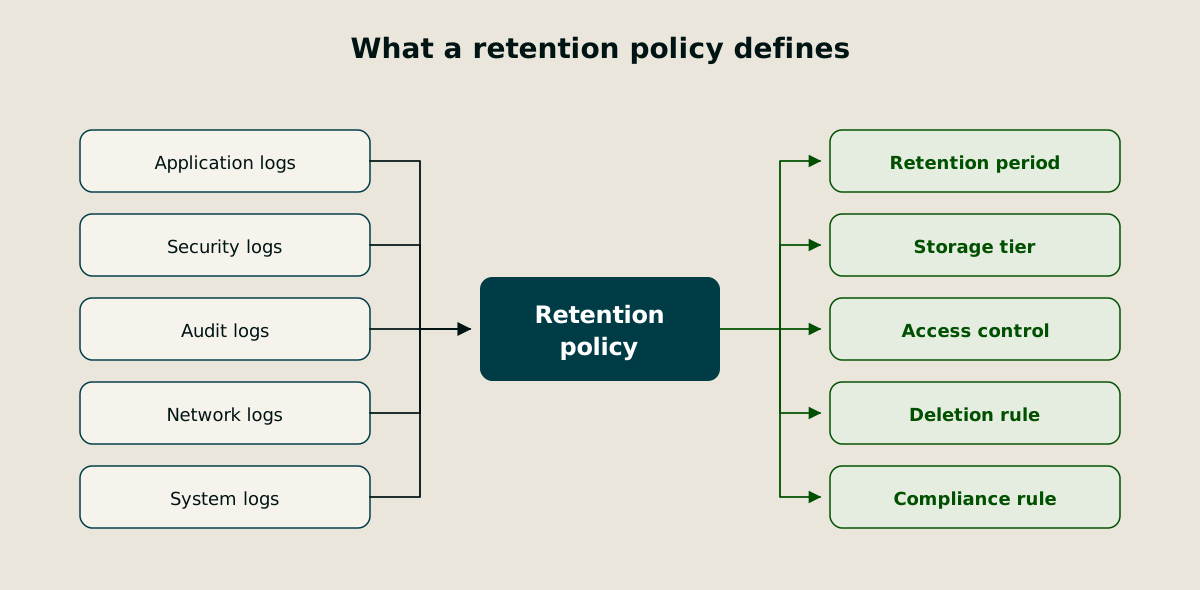
A retention matrix translates policy into something operational. For each log category, define:
Retention period
Storage tier
Access permissions
Deletion method
Compliance requirements
The goal is to remove ambiguity. Engineers should not need to guess how long a particular dataset should be retained.
3. Automate the entire lifecycle
Manual retention management rarely works at scale. Use lifecycle policies to automatically:
Move older logs between storage tiers
Archive infrequently accessed data
Enforce deletion schedules
Apply retention settings to newly created log sources
Automation reduces operational overhead and prevents retention drift, where systems gradually fall out of compliance because policies are applied inconsistently.
4. Protect retained logs
Long-term log archives often contain authentication records, user activity, configuration changes and other sensitive information.
Effective protection typically includes:
Restrict access using least-privilege controls
Encrypt logs in transit and at rest
Protect critical audit records from modification
Maintain an audit trail of access to retained data
5. Plan for exceptions
Retention policies should include procedures for legal holds, regulatory investigations and incident response activities. When required, specific records must be preserved beyond their normal retention period without suspending deletion across the entire environment.
6. Review the policy regularly
New regulations, applications and business requirements can quickly make a once-effective retention policy outdated. A retention policy should evolve alongside the systems it is designed to govern.
How Tsuga helps
Log retention should be driven by security, compliance and operational needs, not vendor pricing models. With Tsuga’s Bring Your Own Cloud (BYOC) architecture, logs, metrics and traces remain in your own cloud environment and are stored in your own object storage.
Here’s how this impacts retention.
Retain more data at cloud storage costs
Many observability platforms charge separately for ingestion, indexing and extended retention. As telemetry volumes grow, teams often shorten retention periods, sample data or filter logs to keep costs under control.
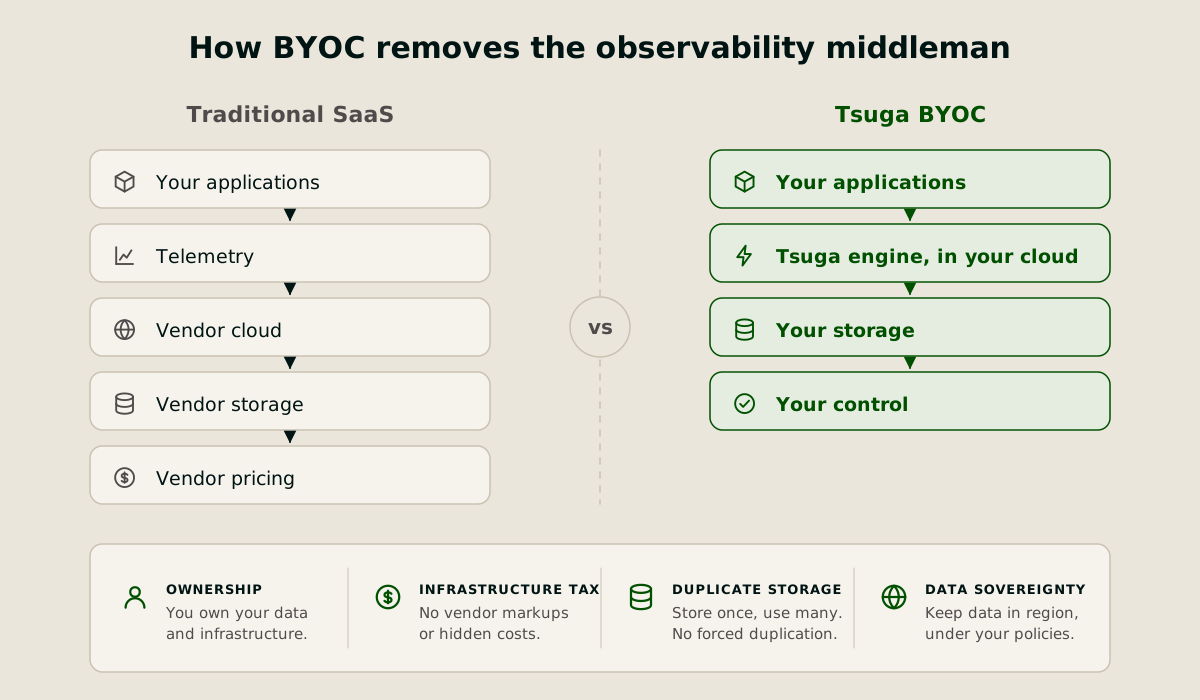
Tsuga removes that pressure. Full-fidelity telemetry can be retained in your own cloud storage for as long as required, with no retention surcharge and no need to move data into a vendor-controlled environment. Because storage remains in your account, you pay standard cloud storage rates rather than marked-up observability pricing.
Keep data in-region for compliance and sovereignty
For organizations operating under regulations such as GDPR, HIPAA, DORA or other data residency requirements, where data lives matters.
Tsuga keeps telemetry within your chosen cloud region. Data does not need to be copied into a vendor-controlled environment, helping organizations maintain sovereignty over sensitive operational and security data while simplifying compliance efforts.
Reduce operational complexity without sacrificing control
Unlike traditional self-hosted observability platforms, Tsuga is fully managed by Tsuga engineers. Deployment, upgrades, scaling and platform operations are handled for you, while the underlying infrastructure and data remain in your cloud account.
Avoid vendor lock-in
Tsuga is built around open standards and open storage. Your telemetry remains accessible in your own environment, making it easier to integrate with security tools, data lakes, AI platforms and future analytics initiatives.
Frequently asked questions (FAQs)
What happens to logs during a legal hold?
A legal hold temporarily overrides normal retention and deletion rules for relevant records. This ensures potentially important evidence is preserved during litigation, audits or regulatory investigations.
Does compressing logs reduce costs?
Yes. Compression reduces the amount of storage required and lowers data transfer costs. It can significantly decrease long-term retention expenses, particularly for large log volumes.
Should logs be stored in the same region as the application?
In many cases, yes. Keeping logs in the same region helps meet data residency and sovereignty requirements, reduces latency and avoids unnecessary transfer charges. Organizations subject to regulations such as GDPR should carefully evaluate whether cross-region storage is permitted.
What is the difference between log retention and log backup?
Log retention determines how long logs remain available for search, investigation and compliance purposes. Backups are separate copies created for disaster recovery.
How can I estimate log storage costs?
Start with your average daily log volume and multiply it by your retention period. Then factor in storage pricing, ingestion fees, indexing charges and retrieval costs. Many observability platforms charge for several of these components separately, which is why understanding the full pricing model is essential before setting long-term retention policies.